
Can You Use Wi-Fi Calling with a Travel eSIM? Everything You Need to Know
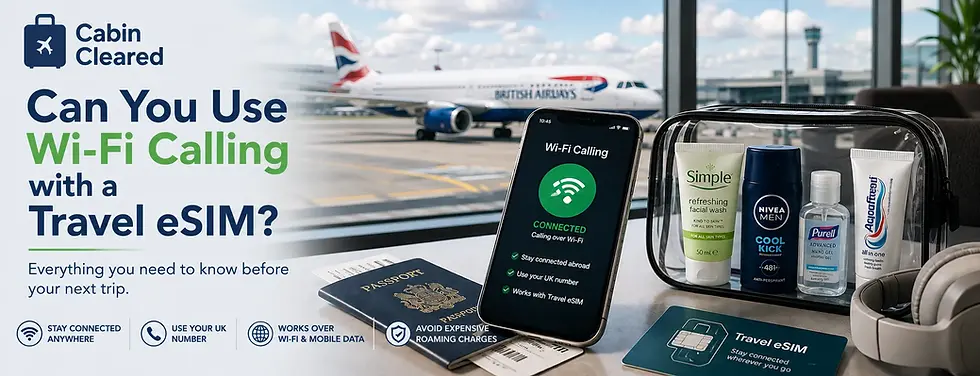
If you're planning to use a travel eSIM on your next holiday, you may be wondering whether Wi-Fi Calling will still work.
The answer isn't always straightforward. It depends on your mobile network, how your phone is configured and whether you're connected to Wi-Fi or using mobile data through your travel eSIM.
Understanding how Wi-Fi Calling works before you travel can help you stay in touch with friends, family and colleagues while avoiding unexpected roaming charges.
In this guide, we'll explain what Wi-Fi Calling is, whether it works with a travel eSIM, what limitations you should be aware of and the best ways to make and receive calls while you're abroad.
Quick Answer: Does Wi-Fi Calling Work with a Travel eSIM?
Yes – in many situations, Wi-Fi Calling can still work when you're using a travel eSIM, but there are some important conditions.
In general:
✔ | Wi-Fi Calling works when your phone is connected to a Wi-Fi network. |
✔ | Some newer smartphones can also support Wi-Fi Calling while using the mobile data connection from your travel eSIM, although this depends on your handset and your home mobile network. |
✔ | Your home SIM usually needs to remain active. |
✔ | Your mobile network must support Wi-Fi Calling. |
Because support varies between networks and devices, it's worth checking your settings before you leave home.
What Is Wi-Fi Calling?
Wi-Fi Calling is a feature offered by many mobile networks that allows your phone to make and receive calls over a Wi-Fi connection instead of relying on a traditional mobile signal.
From your perspective, it works almost exactly like a normal phone call. You use your usual phone number, your contacts don't need a special app, and incoming calls arrive in the same way as they would at home.
For many travellers, Wi-Fi Calling can be particularly useful in places where mobile coverage is weak but Wi-Fi is available, such as:
Hotels
Holiday apartments
Airports
Cafés and restaurants
Cruise terminals
Business centres
When connected to a reliable Wi-Fi network, call quality can often be as good as—or even better than—a standard mobile connection.
Can Wi-Fi Calling Work with a Travel eSIM?
In many cases, yes.
If you're connected to a Wi-Fi network, Wi-Fi Calling usually works in exactly the same way as it does at home, provided your mobile network supports the feature and it has been enabled on your phone.
Things become slightly more interesting with modern dual SIM smartphones.
Many newer iPhones and Android devices allow you to use the mobile data connection from your travel eSIM while your home SIM remains active for calls and messages. This means your phone may be able to route Wi-Fi Calling through the travel eSIM's data connection, even when you're nowhere near a Wi-Fi network.
The exact behaviour depends on your mobile network and your handset, so it's worth checking compatibility before you travel. Not every network supports this feature, and older devices may not offer it at all.
For many travellers, however, it provides an excellent way to stay reachable on their usual number while benefiting from affordable local data through a travel eSIM.
## Does Wi-Fi Calling Abroad Cost Anything?
This is where many travellers become confused.
Wi-Fi Calling itself isn't usually a separate paid service. However, the cost of any calls you make or receive depends on your mobile network and your tariff.
For example, if you make a call using Wi-Fi Calling to a UK landline or mobile number, your network will often treat it exactly the same as if you were making the call from the UK. If your tariff includes unlimited UK calls, there may be no additional charge.
However, calls to international numbers or premium-rate services may still be charged according to your network's normal pricing.
It's also important to remember that every mobile network has its own terms and conditions. Before travelling, check how your provider treats Wi-Fi Calling when you're overseas.
Should You Leave Your Home SIM Turned On?
In many cases, yes.
If you want to receive calls or text messages on your usual UK number, your home SIM generally needs to remain active.
Many travellers use a dual SIM phone with:
Their home SIM enabled for calls and text messages.
A travel eSIM providing mobile data abroad.
This setup allows you to benefit from affordable local data while still being reachable on your normal mobile number.
However, if your home network charges for roaming, simply leaving the SIM active could result in unexpected charges if your phone connects to a foreign mobile network instead of relying on Wi-Fi Calling.
For this reason, many experienced travellers review their roaming settings before departure and disable data roaming on their primary SIM, allowing the travel eSIM to handle mobile data instead.
The exact settings vary between smartphones and mobile networks, so it's worth checking your configuration before you leave the UK.
## How to Set Up Wi-Fi Calling Before You Travel
The best time to check your Wi-Fi Calling settings is before you leave the UK.
While most modern smartphones support the feature, it isn't always enabled by default.
Before travelling, take a few minutes to:
- Confirm that your mobile network supports Wi-Fi Calling.
- Check that Wi-Fi Calling is enabled in your phone's settings.
- Install and activate your travel eSIM before departure if possible.
- Test that you can make and receive calls over Wi-Fi while you're still at home.
- Familiarise yourself with your network's roaming settings to avoid unexpected charges abroad.
Spending just a few minutes checking these settings before you travel can save a lot of frustration once you arrive at your destination.
What If Wi-Fi Calling Isn't Working?
If Wi-Fi Calling doesn't work while you're abroad, don't panic. In many cases, the issue is something simple.
Here are a few things to check:
Is Wi-Fi Calling enabled on your phone?
Is your home SIM still active?
Does your mobile network support Wi-Fi Calling overseas?
Are you connected to a reliable Wi-Fi network?
Have you restarted your phone since activating your travel eSIM?
Sometimes simply toggling Airplane Mode on and off or restarting your device is enough to re-establish the connection.
If you're relying on your travel eSIM's mobile data to support Wi-Fi Calling, remember that this feature isn't available on every phone or with every mobile network. Compatibility varies, so it's worth checking your provider's guidance if you're having problems.
Alternatives to Wi-Fi Calling
If Wi-Fi Calling isn't available, there are still plenty of ways to stay in touch while you're travelling.
Many travellers use internet-based calling services such as WhatsApp, FaceTime Audio, Microsoft Teams, Zoom or Google Meet. These services use your Wi-Fi or mobile data connection rather than the traditional mobile network.
They're often ideal for keeping in touch with family and friends, especially if everyone you're calling already uses the same app.
However, if you need people to reach you on your usual mobile number, Wi-Fi Calling remains one of the most convenient options where it's supported.
Key Takeaways
If you're planning to use a travel eSIM, these are the most important things to remember:
✔ | Wi-Fi Calling usually works over a Wi-Fi connection if your mobile network supports it. |
✔ | Some modern smartphones can use the mobile data connection from a travel eSIM to support Wi-Fi Calling, but compatibility varies by handset and network. |
✔ | Your home SIM normally needs to remain active if you want to use your usual mobile number. |
✔ | Before travelling, check your roaming settings to help avoid unexpected charges. |
✔ | Testing everything before you leave home gives you the best chance of staying connected abroad. |
Frequently Asked Questions
Can I use Wi-Fi Calling with a travel eSIM?
Yes, in many cases you can. If you're connected to Wi-Fi, Wi-Fi Calling generally works as normal. Some newer phones can also support Wi-Fi Calling using the mobile data connection from a travel eSIM.
Will people still call my normal mobile number?
Yes. If your home SIM remains active and your network supports Wi-Fi Calling, callers can usually reach you on your normal mobile number without needing a different app or contact number.
Does Wi-Fi Calling use my travel eSIM data?
If you're connected to a Wi-Fi network, no mobile data is used. On compatible phones, Wi-Fi Calling may be able to use the mobile data connection provided by your travel eSIM, although support depends on your handset and mobile network.
Should I switch off data roaming on my UK SIM?
Many travellers choose to disable data roaming on their home SIM while leaving it active for calls and texts. This allows the travel eSIM to handle mobile data while helping to reduce the risk of unexpected roaming charges.
What happens if Wi-Fi Calling isn't available?
If Wi-Fi Calling isn't supported or isn't working, internet-based calling apps such as WhatsApp, FaceTime Audio, Microsoft Teams and Zoom provide alternative ways to stay in touch using your Wi-Fi or mobile data connection.
Continue Reading Our Travel Connectivity Guides
Whether you're new to travel eSIMs or looking for answers before your next trip, these guides explain everything you need to know.
Final Thoughts
Wi-Fi Calling can be an excellent companion to a travel eSIM, allowing many travellers to stay reachable on their usual mobile number while benefiting from affordable mobile data abroad.
The key is to understand how your phone and mobile network work together. By checking your settings before you leave, enabling Wi-Fi Calling and configuring your travel eSIM correctly, you can enjoy the convenience of staying connected without relying on expensive roaming charges.
A few minutes of preparation before your trip can make communicating abroad much simpler, leaving you free to focus on enjoying your travels.
One of the most common questions travellers ask before buying a travel eSIM is whether they'll still be able to make and receive phone calls.
The answer isn't always straightforward.
Unlike a traditional physical SIM, many travel eSIMs are designed primarily to provide mobile data rather than a full mobile phone service. That doesn't mean you can't make calls while travelling—it simply means the way you make them may be different from what you're used to at home.
The good news is that most travellers won't notice much difference. Thanks to internet-based calling apps and modern smartphones with Dual SIM support, it's often possible to stay in touch with friends, family and colleagues without changing your usual routine.
This guide explains how phone calls work with a travel eSIM, whether you can keep using your UK number, and the different ways to make and receive calls while you're abroad.
Why Most Travel eSIMs Are Data-Only
Many travel eSIM providers focus on delivering affordable mobile data rather than replacing your UK mobile contract.
Instead of issuing you with a new phone number, they provide a data connection that allows your phone to access the internet using local mobile networks.
This approach keeps prices competitive and makes travel eSIMs suitable for a wide range of destinations around the world.
For most holidaymakers, mobile data is the most important requirement. It allows you to:
Use maps and navigation apps.
Send messages through WhatsApp and other messaging services.
Browse the internet.
Book transport and accommodation.
Access airline apps and boarding passes.
Stay connected on social media.
Because the majority of communication now happens online, many travellers find they rarely need traditional mobile voice calls while they're away.
How Can You Make Phone Calls with a Travel eSIM?
Although many travel eSIMs don't include a traditional phone number, there are several simple ways to make calls while travelling.
Internet Calling Apps
The easiest option is to use apps such as WhatsApp, FaceTime Audio, Messenger, Signal or Telegram.
These use your eSIM's mobile data connection instead of the traditional mobile phone network, allowing you to make high-quality voice and video calls wherever you have internet access.
For many people, this is exactly how they already communicate at home, so nothing changes when they travel.
Keeping Your UK SIM Active
If your phone supports Dual SIM, you can often leave your UK SIM installed while using the travel eSIM for mobile data.
Depending on your mobile provider and your phone's settings, this may allow you to continue receiving calls and text messages to your normal UK number while your travel eSIM handles your internet connection.
Before travelling, it's worth checking your provider's roaming policy, as receiving or making traditional calls abroad may still incur charges even if your data is provided by the eSIM.
Will People Still Be Able to Call Me?
In many cases, yes—but it depends on how you've configured your phone and the type of travel eSIM you're using.
If you keep your UK SIM active alongside your travel eSIM, you may still be able to receive calls and text messages to your normal UK mobile number. This is one of the biggest advantages of Dual SIM smartphones, as they allow one SIM to handle your mobile data while the other remains available for calls and messages.
However, it's important to remember that receiving or making traditional mobile calls while abroad may still be treated as roaming by your UK mobile provider. Depending on your contract and destination, additional charges could apply.
If avoiding roaming costs is your priority, it's worth checking your provider's policy before you travel.
Can I Call UK Landlines and Mobile Numbers?
Yes, but the method you use makes a difference.
If you're making a traditional mobile call using your UK SIM, your provider's international roaming charges may apply.
Alternatively, if you're using internet calling apps such as WhatsApp or FaceTime Audio, you can call other users of the same app using your travel eSIM's data connection instead.
If you need to call someone who doesn't use these apps—such as a hotel, airline or local business—you'll usually need to:
Use your UK SIM (subject to your provider's charges).
Use Wi-Fi Calling if your network supports it.
Use an internet calling service that allows calls to standard telephone numbers.
Knowing which option you'll need before travelling can help you avoid unexpected costs.
What About Emergency Calls?
Emergency calls work differently from normal voice calls.
In most countries, your phone will still allow you to contact local emergency services, even if your travel eSIM is data-only. Modern smartphones are designed to prioritise emergency access whenever possible by connecting to any available compatible network.
However, emergency numbers vary from country to country, so it's worth familiarising yourself with the local emergency number before you travel.
Do I Need Wi-Fi to Make Calls?
No—not if you're using a travel eSIM.
One of the biggest benefits of a travel eSIM is that it provides a mobile data connection almost anywhere you have network coverage. That means internet-based calling apps such as WhatsApp, FaceTime Audio, Signal and Microsoft Teams work over mobile data in exactly the same way they would over Wi-Fi.
Of course, if free Wi-Fi is available in your hotel, airport or café, you can also use that connection to make internet calls and reduce your mobile data usage.
For most travellers, the flexibility to switch between Wi-Fi and mobile data means staying in touch is easier than ever.
Is Call Quality Any Good?
In most cases, yes.
The quality of internet calls depends mainly on the strength and speed of your data connection rather than whether you're using an eSIM or a physical SIM card.
With a strong 4G or 5G signal, voice calls made through apps like WhatsApp or FaceTime Audio are often as clear as traditional phone calls. If you're in an area with weaker coverage, call quality may drop or the connection could become less stable, just as it would when using mobile data at home.
Choosing a reputable travel eSIM provider and ensuring you have adequate data for your trip can help maintain a reliable connection throughout your travels.
Frequently Asked Questions
Can I receive calls on my UK number while using a travel eSIM?
In many cases, yes. If your phone supports Dual SIM and your UK SIM remains active, you may still receive calls and text messages on your usual number. However, your mobile provider's roaming charges may still apply.
Can I make WhatsApp calls using a travel eSIM?
Yes. WhatsApp voice and video calls work over your travel eSIM's mobile data connection, just as they do over Wi-Fi.
Will FaceTime Audio work with a travel eSIM?
Yes. FaceTime Audio uses your internet connection rather than the traditional mobile phone network, making it ideal for use with a travel eSIM.
Can I call hotels or airlines using a travel eSIM?
If your travel eSIM is data-only, you'll usually need to use your UK SIM, Wi-Fi Calling or an internet calling service that supports calls to standard telephone numbers.
Will using internet calling apps use my data allowance?
Yes. Voice and video calls made through internet-based apps use your mobile data. Voice calls generally use relatively little data, while video calls consume considerably more.
Final Thoughts
Travel eSIMs have changed the way many people stay connected abroad. While most don't include traditional voice calling, they provide exactly what most travellers need: a fast, reliable mobile data connection for maps, messaging, travel apps and internet-based calls.
For many holidays, that's more than enough.
If you understand the difference between traditional mobile calls and internet calling before you travel, you can avoid unnecessary charges and stay in touch with confidence wherever your journey takes you.
Whether you're calling home, checking in with your accommodation or arranging to meet friends, a little preparation before you leave can help ensure your phone works exactly as you expect when you're overseas.
Continue Reading Our Travel Connectivity Guides
Whether you're new to travel eSIMs or looking for answers before your next trip, these guides explain everything you need to know.


Comments